| ▲ | drnick1 6 hours ago |
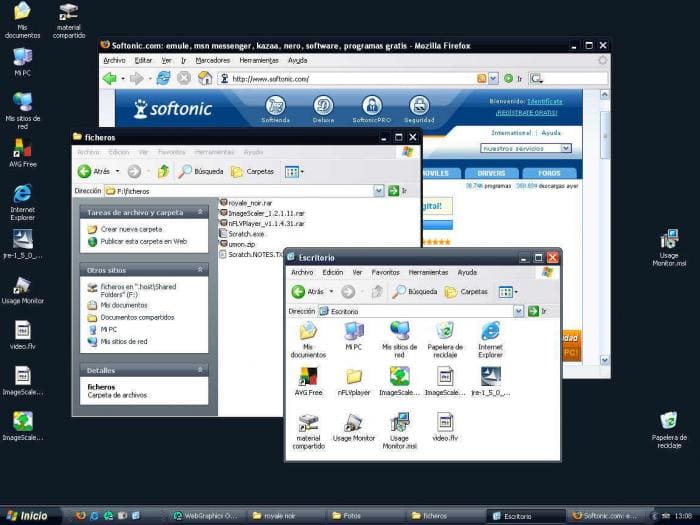
| I deplore the day we lost the menu bar and replaced it with "mobile first" designs. The desktop UI was perfected around the time of Windows 95 and has gotten worse with every iteration since then. That, and the increased reliance on non-native frameworks and libraries instead of working with directly with the Windows API in C. |
|
| ▲ | cowlevel 5 hours ago | parent | next [-] |
| Android used to have a dedicated menu key that would always bring up a menu. It was removed to chase Apple's 100% screen design. |
| |
| ▲ | andechs 4 hours ago | parent | next [-] | | Long-press and the ••• menu in the overflow is a far superior UI paradigm than having a purpose built menu button. 90% of the time, even in Android that was pre-Honeycomb, the menu ended up just showing what would have been in the overflow anyways. Android really did end up doing a lot better on the UX side that iOS with the contextual action bar and long-press to select. The idea of selection mode on iOS is still a weird process, and it's been mostly worked around since with higher PPI screens and touch sensors, instead doing a small area to "select" items on iOS | | |
| ▲ | dbgobrrr 3 hours ago | parent [-] | | For me, long-press is one of the most infuriating UX features of mobile.
Probably the top on the offenders list for me is the copy-paste with the handles (which of course relies on long-press to trigger). Hard buttons beat soft buttons for UX any time. You can use them with a glove, you can feel where the are located and you don't accidentally click because your finger was close enough for the capacitive touch sensor to trigger. | | |
| ▲ | mech422 5 minutes ago | parent | next [-] | | God, I hate copy/paste on android. tbh, I hate the whole 'gestures' thing where there never seems to be an actual 'instruction sheet' of what gestures are available. I wish they would make new apps provide a 'manifest' of gestures they support so your phone could have an up to date list based on which apps you have installed. | |
| ▲ | skydhash 34 minutes ago | parent | prev [-] | | I’ve replaced the android headunit with a buttons and segmented display one (kenwood) because it was just horrendous. Now, it’s easy to switch sources, skip back and forth, and adjust volume with minimal looking. Tactical feedback and location memory is great UX. |
|
| |
| ▲ | FreakyT 2 hours ago | parent | prev | next [-] | | IMO, the old Android menu button wasn't great UX. It ended up just being a miscellaneous laundry list of random functions, and the users would just need to learn "spam the menu button randomly on every screen just in case the needed action is hiding in there." | |
| ▲ | frantathefranta 5 hours ago | parent | prev [-] | | Just got nostalgic about the 4 hardware buttons on my Sony Xperia Play:
back-home-context(option)-search. Still the best navigable phone I had when coupled with the Nova Launcher gestures. |
|
|
| ▲ | bcvvvy 6 hours ago | parent | prev | next [-] |
| I am fairly bothered about that but the one that really gets to me is the inconsistency of user interfaces across applications. This precisely coincides with the web developers being allowed to wrap stuff into "apps" in Electron and the like. |
| |
| ▲ | ChrisClark 5 hours ago | parent [-] | | It's been that way forever, did you forget about the Borland buttons? Colorful icons on them, much bigger, different shading. | | |
| ▲ | layer8 4 hours ago | parent | next [-] | | They had a different look, but usage and UI conventions including keyboard navigation worked basically the same. Since the mixing of mobile and desktop with web technology, it’s the Wild West. | |
| ▲ | gmueckl 4 hours ago | parent | prev | next [-] | | But they were not too far removed from how the standard Windows buttons looked. Office had its own look in a lot of ways back then, e.g. with the extra handles on the toolbars. Now, if I take a couple of current applications, the differences are much bigger: from the top of my head, Explorer, Settings, Edge, Office, Steam, Spotify all have much more unique UIs. | |
| ▲ | bombcar 2 hours ago | parent | prev [-] | | There was a short period of time around Windows 95-XP where application developers really wanted to try to use the "latest and greatest" because if they didn't they really stood out as being "last year's tech". Then XP kind of broke that as so many started not bothering and then it all went sideways. |
|
|
|
| ▲ | brailsafe an hour ago | parent | prev | next [-] |
| So do I, but I don't think I'd blame mobile-first designs, and instead place the blame on Microsoft sucking at making decisions, sucking at design, and sucking at mobile. Every bad Windows UI has, imo, been the result of trying to be cool and likeable by dying their hair a different colour to get some attention and getting ahead of or catching up with Apple who was playing a different game the whole time. Apple meanwhile has made some notable mistakes, but when they do, it's usually a thorough bad bet that's just missed the mark, but if they do, it's all throughout their OS in every corner. Even with their recent Liquid glass blunder, they're not really putting a veneer that looks like wood over a rotting corpse of a house, they're just picking bad materials to update an otherwise decent layout. Microsoft's whole track consumer UI/product record imo is trying and failing to bet small but intrusively on ideas that don't work, aren't cool, and have no longevity. You see it as soon as you open the control panel that still looks like the 90s; it's this uncomfortable amalgam of failed tepid temporary marketing pitches by some department that make no sense |
|
| ▲ | Grosvenor 5 hours ago | parent | prev | next [-] |
| The Desktop GUI was perfected with NeXTStep in 1990. Though some might say Smalltalk in 1984 (modulo some nice artwork and colours). We could even have unified desktop.mobile codebases, with different GUI layouts.
280 North's objective-J/Cappuccino proved this. IDK what we're even doing anymore. |
| |
| ▲ | NetMageSCW 4 hours ago | parent [-] | | The early Mac made huge functional improvements over the Smalltalk GUI, improvements still used today. |
|
|
| ▲ | pavlov 4 hours ago | parent | prev | next [-] |
| Windows 95 was the last release that had serious user testing in controlled environments. (They were also cribbing lots of notes from NeXT, which helped.) Something fundamentally switched around 1998-2002 in how interface design was viewed and approached. I started my career in software as a design summer intern at a company that made a Windows “groupware” application in 1997. They took pride in following the platform’s guidelines and actually testing their designs with real users being videotaped trying to use it. The company’s UI design department was tiny, but employed both an industrial designer and a cognitive scientist. Five years later, everybody I met in UI design was a graphic designer who was drawing glossy website mockups in Photoshop. The elder lore of science-based UI design was completely lost when Web 2.0 happened and app designs became vibes-based. Even Apple couldn’t resist the tide. (Indeed Steve Jobs’s return to Apple in 1997 was a major contributor because he had developed a taste for user-hostile skeuomorphism like the brushed metal QuickTime Player.) |
| |
| ▲ | someguyiguess 4 hours ago | parent [-] | | Skeumorphism is the opposite of user hostile. Flat design. Now THAT is user hostile. | | |
| ▲ | xp84 3 hours ago | parent | next [-] | | You’re not wrong that they aren’t directly correlated. I can see the argument though that making Notes look exactly like a yellow legal pad was not an automatic gain for usability compared to say, wordpad.exe with its super simple toolbar that showed you every option. I think a fair take is that going full skeuomorphic may take some options off the table for you because they would conflict too much with the metaphor you’re leaning hard into. I’m still 100% Team Forstall though, considering the massive violence that ios7 and its copycats have wrought on usability. | |
| ▲ | SAI_Peregrinus 2 hours ago | parent | prev [-] | | Some skeuomorphism is user-friendly, like buttons that animate like they're clicked when pressed down. Other skeuomorphism was user-hostile, like the various mouse-only interfaces where everything had to be dragged around to work. |
|
|
|
| ▲ | anjel 4 hours ago | parent | prev | next [-] |
| The war on scroll bars has gotten pretty senseless. |
| |
| ▲ | bromuro 3 hours ago | parent [-] | | Always-on-screen scrollbars were useless. Now they appear only when needed. | | |
| ▲ | exmadscientist 2 hours ago | parent | next [-] | | Scroll bars have always been both control (press here to move around) and indicator (how much of this document is there, and how far through it am I?). Always-on-screen scrollbars are only useless if you think that indication is useless. Many people find it quite valuable. | |
| ▲ | firesteelrain 2 hours ago | parent | prev | next [-] | | I restored them and made them fat again in FireFox. It was getting too thin and hard to find | |
| ▲ | ThatMedicIsASpy 2 hours ago | parent | prev | next [-] | | They are handy on a tablet. At the same time they are not since dynamic content might be loaded so the true size of the page is not shown to me by the scroll bar. | |
| ▲ | bombcar 2 hours ago | parent | prev [-] | | I hate when magically appearing scrollbars cause the screen to redraw - I especially hate it when the content needs a scrollbar if NOT present, so it appears, which makes the content reflow so it doesn't need it, and it keeps swapping back and forth. Good times. | | |
| ▲ | publlus_enigma an hour ago | parent | next [-] | | There has been a bug in Apple's Quicklook on macOS for as long as I can remember, where the right side of a document is slightly cropped when Always Show Scrollbars is enabled. It appears to expect that the scroll bars should only appear intermittently and renders over the content. Very frustrating when one is scanning documents and photos, and verifying them through Finder shows phantom cropping. I personally like the scroll bars to always be visible as they serve as both an indicator and a control. | |
| ▲ | kevin_thibedeau 43 minutes ago | parent | prev [-] | | It's really annoying that you need to click on something that the scrollbar covers up or steals focus from. |
|
|
|
|
| ▲ | okanat 5 hours ago | parent | prev | next [-] |
| Although I started with 98, I think Vista / 7 was the peak. It was user friendly enough for newbies but didn't sacrifice advanced controls. Just organized them better to bring focus to the more used parts. |
| |
| ▲ | theandrewbailey 5 hours ago | parent | next [-] | | In terms of aesthetic, I love Windows 7-era Aero glass design (and to a lesser extent, Vista), but I also love the classic Windows 9x/2000 look. If I had to choose between the two, I'd go with Aero simply because of the start menu search bar. | | |
| ▲ | publlus_enigma an hour ago | parent [-] | | In both Windows 7 and Vista you could change the theme engine to Windows Classic, which gave you the Windows 9x/2000 look AND the start menu search bar. |
| |
| ▲ | Zarathustra30 4 hours ago | parent | prev | next [-] | | Maybe on the OS side. However, Vista coincided with the release of Office 2007. That release of Office introduced the dreaded Ribbon, which made functions much harder to find. | | |
| ▲ | okanat an hour ago | parent [-] | | I actually like Ribbon and I disagree. It made functions easier to find, for people who didn't have a muscle memory of those functions. It actually taught them how to use the program and exposed conditional menus like picture options better than the toolbars that appear and disappear. Of course people who got used to traversing 3-level menus got annoyed but they still have all the same keyboard shortcuts. However, spending enough time, you also get used to Ribbon and it usually requires fewer clicks not more. I still find a tastefully done Ribbon is better than a menu and a toolbar combination. The problem is, not everybody has put the same effort that Microsoft did which created monstrosities like Solidworks Ribbon. |
| |
| ▲ | abhgh 5 hours ago | parent | prev | next [-] | | I loved Windows Aero and the flip 3D view - the latter mostly because it looked so cool for that time! | | |
| ▲ | LtWorf 4 hours ago | parent [-] | | Oh you mean "ripping off compiz"? | | |
| ▲ | someguyiguess 4 hours ago | parent | next [-] | | I just learned that X Window System came out a year before the first Windows release. Interesting. Thanks for pointing out the compiz ripoff. It spurred me to look up the original release dates. | |
| ▲ | okanat 36 minutes ago | parent | prev [-] | | ... which is "ripping off OSX". But you don't want to hear that, do you? UX being copied by OSes from each other is a good thing. |
|
| |
| ▲ | larusso 3 hours ago | parent | prev [-] | | I used the Zune theme for windows XP which I really liked. I dreaded Vista because it was just a resource eater with all the effects turned on. https://www.softpedia.com/get/Desktop-Enhancements/Themes/Mi... | | |
|
|
| ▲ | dpark 6 hours ago | parent | prev | next [-] |
| > we lost the menu bar and replaced it with "mobile first" designs What does this mean? I use lots of apps that still have a menu bar. Some apps eschew it, like browsers, but not because they are “mobile first”, but because they are trying to maximize screen space. |
| |
| ▲ | drnick1 4 hours ago | parent | next [-] | | > Some apps eschew it, like browsers, but not because they are “mobile first”, but because they are trying to maximize screen space. I don't think this is true. If anything, we see more oversized buttons and empty space nowadays. It's as if developers forgot that PC users have keyboards and mice. Remember, display resolutions and monitors were a lot smaller back then, and making space count was arguably more important 20 years ago than it is today. | | |
| ▲ | dpark 3 hours ago | parent [-] | | Two things can both be true. An app can create more space around controls and get rid of the menu bar to save space. The space also really has nothing to do with “mobile first”. It’s for touch screens (and also modern aesthetic that avoids crowded controls). To be clear, I am not saying that all apps are optimizing for saving screen space. I was specifically talking about browsers, which are broadly optimized to give as much area as possible to the content. | | |
| ▲ | xp84 2 hours ago | parent [-] | | You’re getting closer… “crowded” and “cluttered” are the most taboo words in the “UX” charlatans’ holy book. It’s so scary to them that they’ll sacrifice anything to avoid even a possible accusation of “crowdedness.” It was a mildly useful point of view when they were designing things meant to be the first computer program someone might ever use. Like Microsoft Bob or Apple “At Ease.” But it’s idiotic to have things following that dogma as the only interface to tools that people need to use daily and will become expert users of. To think some of us nerds complained about the Luna theme of XP as too “Fisher Price.” Fisher Price products look like industrial control panels compared to today’s contemporary operating systems and apps. |
|
| |
| ▲ | Narishma 5 hours ago | parent | prev | next [-] | | > but because they are trying to maximize screen space If that was the case they wouldn't put giant margins around every UI element and dead space everywhere. | | |
| ▲ | dpark 3 hours ago | parent [-] | | My browser doesn’t have a bunch of dead space. No footer. One line for controls. Tabs have been collapsed into the title bar. |
| |
| ▲ | breakwaterlabs 5 hours ago | parent | prev | next [-] | | > they are trying to maximize screen space. Ironic to say on hackernews which shows massive whitespace in the margins-- and if I try to widen my tab sidebar it actually indents the margin rather than eating into it. One can look across the computing space as a whole and see that, it is surely not the case that we're "maximizing screen space". | | |
| ▲ | LeFantome 4 hours ago | parent | next [-] | | Totally agree. But this does not take away from his point that maximizing screen space is the motivation in Firefox. In fact, all you have done is demonstrate why they are driven to do so. | | |
| ▲ | jrumbut 4 hours ago | parent [-] | | Maximized screen space doesn't really benefit this site. The key element missing from this thread is that the Internet going from a text based to a multi-media (and increasingly video-centric) experience. A lot of Internet users, at this point, do as much reading on their phone or laptop as I do reading on my TV (almost none). |
| |
| ▲ | someguyiguess 4 hours ago | parent | prev [-] | | You think Hacker News’ design is new? It’s looked exactly the same since I started using it over a decade ago. |
| |
| ▲ | xp84 2 hours ago | parent | prev | next [-] | | > I use lots Oh really? I, sadly, use nearly none. Open on my desktop right now: Slack, Outlook, Zoom, Windows Terminal, Edge, Claude, Obsidian, whatever the Windows image viewer is called, Cursor, and VS Code. Only the last 2 have menu bars. And I can’t be certain that I didn’t dig through the preferences of one or both of them when I first installed them to tell them to knock off the bullshit and give me back the menus. Once in a while, there is an option buried somewhere like that. | | |
| ▲ | dpark 2 hours ago | parent [-] | | In fairness I did not do a full inventory of all the apps I use. I see Word and VS Code. It may be less than I thought if I inventoried every app I regularly use. I see some have gone the “browser” direction with tabs folded into the title bar and the menu bar dropped. Windows Terminal, File Explorer, and Notepad are all that style now. Edit: Actually Notepad has the tabs in the titlebar thing but retained the menu bar and folded it into the command bar. | | |
| ▲ | xp84 2 hours ago | parent [-] | | I personally am pretty disgusted by ‘tabs in the title bar’ since really what that means is deleting the title bar. You can’t grab and move the freaking window because most of it is made out of a bunch of tabs or other widgets. I presume this is done because somebody’s research found that many people just do everything in maximized windows or the Apple “full screen mode.” As long as you don’t mind sacrificing the people who do use window managers to manage windows, likely the most sophisticated users, this seems like a great move. But I would argue it’s still stupid because I have plenty of screen real estate. Being able to read one additional line of text in my browser window or Slack conversation does literally nothing for me. | | |
| ▲ | dpark an hour ago | parent | next [-] | | It’s a tradeoff. I spend most of my time on a laptop screen (even when using an external monitor, the external is my secondary screen) and appreciate the reduction in screen waste. I don’t need or want a huge click area just for moving the window. | | |
| ▲ | skydhash 22 minutes ago | parent [-] | | Speaking of screen waste, I think 4:3 is way better than 16:9, especially for laptop screens. |
| |
| ▲ | Dylan16807 2 hours ago | parent | prev [-] | | I love it. I can grab either end of the title bar just fine. I don't need to waste the entire middle. And if I have multiple windows I'm sacrificing more like 3 lines and it does start to matter. |
|
|
| |
| ▲ | 6 hours ago | parent | prev [-] | | [deleted] |
|
|
| ▲ | pjmlp 4 hours ago | parent | prev | next [-] |
| Working directly with C API in Windows has not been a thing since Vista, as COM took the main role for API delivery. The Windows SDK samples like Hilo make use of C++ with COM. |
|
| ▲ | HWR_14 3 hours ago | parent | prev | next [-] |
| Windows95 still had failures of UI design, and those weren't fixed until XP. |
|
| ▲ | tonymet 43 minutes ago | parent | prev | next [-] |
| i agree. i love the 120hz responsiveness of the UI. how fast the app loads, the buttons click. No lazy loading , placeholders, layout re-renders. Open the task manager: half a meg ram used. Insanely great performance. |
|
| ▲ | queenkjuul 2 hours ago | parent | prev | next [-] |
| 95 feels kinda backwards tbh but 98SE/2000 is outrageously modern. A lot of the windows admin tools are unchanged from 2000 apart from the icons. I really think if you could run a modern browser on 2000 it could be a daily driver for most people |
|
| ▲ | dragontamer 5 hours ago | parent | prev | next [-] |
| The Menu + quick access bar was good for developers but terrible for users, at least compared to the ribbon. Ribbon is absolutely an improvement for users but is more work for the XML layout and learning how to organize it. I'm rather convinced that Ribbon is still the best way to organize quick actions, show their shortcuts (Alt to see keyboard shortcuts), and also have enough text to describe all the buttons. But it'd be nice if it were easier to make good Ribbons. Menu was braindead easy, albeit through ancient process of .rc files and whatnot |
| |
| ▲ | thesuitonym 5 hours ago | parent | next [-] | | I'm just not sure why it has to be one or the other. Look at NeXTStep. They had a menu bar (or I guess a menu panel) and a ribbon, although that term didn't exist yet, and it was definitely not 100% there yet. | |
| ▲ | max51 3 hours ago | parent | prev [-] | | I think it's the other way around. Well organised menus can help users discover what functions are available at quick glance without having to hover each icons with the mouse to know what they do. For power users, the ribbons mean you can click directly on the function you need without having to click through menus and sub-menus. | | |
| ▲ | dragontamer an hour ago | parent [-] | | Menus from Win95 are uniform. All buttons took up one row and a full width of the submenu. (Even if you don't have a shortcut key assigned, the space is taken up and wasted) It's well acknowledged that modern designers and users benefit from large vs small, and other varying styles of organization. Menus only had top menus vs submenu vs sub-sub-menu (and so forth). Yes a good menu is useful but... A ribbon offers many more tradeoffs. It's harder to design a good ribbon, but the best ribbons are always better than even the best menu. The important features will be physically larger with more text and space. The less important or niche features might just be an icon with tooltip, possibly hidden behind a subcategory of the ribbon. In theory, you can use the modern Ribbon to make old school menus. But why bother? If you made the switch to that XML design language, you might as well take all the benefits of the Ribbon Or hell, if you like old school menus, you can still make them today. Those .RC editors still work in modern Windows 11. But give it a shot and you'll see how restrictive and bulky old school menus are in practice. |
|
|
|
| ▲ | golergka 2 hours ago | parent | prev | next [-] |
| As computers, and smartphones got more popular, the audience got larger and the use scenarios got more and more distant from professional use. Dedicated professionals, like software engineers and stock brokers still prefer CLI and Bloomberg terminal even today. Ordinary office workers late 90s and early 00s window-based interfaces (the ones you're talking about). But smartphone users who just want to play their free games and scroll through facebook actually prefer the mobile-first UIs. If you see this UI transition through the same lense as CLI-GUI one, a lot of things become more clear, in my opinion. |
|
| ▲ | excalibur 6 hours ago | parent | prev | next [-] |
| > The desktop UI was perfected around the time of Windows 95 and has gotten worse with every iteration since then. Well that can't be entirely true, the desktop experience on Windows 10 improved on Windows 8 by leaps and bounds. |
| |
| ▲ | john01dav 5 hours ago | parent | next [-] | | > Well that can't be entirely true, the desktop experience on Windows 10 improved on Windows 8 by leaps and bounds. In large part, windows 10's ui is more like that of windows 95 because it undid the changes away from the windows 95 paradigm that windows 8 did. Furthermore, those changes away from windows 95 in windows 8 were the exact kind of thing that might be called "mobile first". | |
| ▲ | MattPalmer1086 5 hours ago | parent | prev | next [-] | | Haha, yes. It does not account for releases which made UX dramatically worse (win 8) which were then reverted to some extent. | |
| ▲ | layer8 4 hours ago | parent | prev | next [-] | | Only because Windows 8 was such a dramatic step back. Windows 7 is still better than Windows 10 in terms of UI. | |
| ▲ | nubinetwork 5 hours ago | parent | prev | next [-] | | Not until they settle on one control panel. | |
| ▲ | 6 hours ago | parent | prev | next [-] | | [deleted] | |
| ▲ | theandrewbailey 5 hours ago | parent | prev | next [-] | | I can't tell if this is sarcasm. Windows 8 is a very low bar in terms of desktop UI. It was universally panned as a regression. | |
| ▲ | Borg3 5 hours ago | parent | prev [-] | | Are you nuts? Or wait.. you must be Gen Z then, never really used Win95..
If so, you cant make any statements in the subject. I still run Windows Classic GUI here, because its fast and confortable to use.
Can you do better? Hmm, maybe. But im not conviced :) | | |
| ▲ | PorciiVorbesc 5 hours ago | parent | next [-] | | >Are you nuts? Or wait.. you must be Gen Z then, never really used Win95.. If so, you cant make any statements in the subject. What a terrible attitude to have as a comment reply. I've been using Windows since Windows 95, meaning I have plenty of experience and some emotional attachment to it and I'm as millenial with knee pain as they get, so not Gen-Z, and I can't imagine going back to using W95 today productively in a non-ironic way. Windows 95 was perfect ... for what people did on computers back in 1995, not for what I do now in 2026 on the HW of today. May W95 rest in peace, but I'll take my modern OS for my moderns entertainment and productivity tasks on modern HW. There's no way in hell I'd want to go back to W95 even if that's what popped my cherry. People calming otherwise have rose tinted glasses and only remember the good parts of that era without the downsides. | | |
| ▲ | Borg3 5 hours ago | parent [-] | | Can you tell me more? What are you doing that good old classic windows would be barely usable? Im really curious, because I was using corporate Win10 and hell, it was really driving me crazy. Good that there is Cygwin, so I could move most stuff there. Classic Windows just works, and if you care, you can even customize it. | | |
| ▲ | PorciiVorbesc 5 hours ago | parent [-] | | >Can you tell me more? What are you doing that good old classic windows would be barely usable? In modern WIndows, from 7 onward, I can hit the meta key and type the first letters of the app I want to open, hit enter and boom, it's opened. I can mouse snap the two app windows side by side on my large monitor. I have 125% scaling so things don't look tiny on my 4k monitor. Win 95 had none of that, the only way to launch an app was via shortcuts on the desktop or navigating a long and tedious star menu tree, which was perfectly fine for 1995 since you had ~10 app on your PC and you used it sparingly, but is really shit UX if your PC has 50+ apps like in 2026 and you use it for half a day. "Classic windows" only makes sense if you also use your PC in a classic way like it's the 90's, with like 1-2 concurrent apps opened at once, instead of 10+ leaving them on for days/weeks. >Good that there is Cygwin, so I could move most stuff there. Cygwin is CLI, not UI, which is what we were talking about. Are your complaints about the Windows CLI or about UI, because those are different topics you seem to mix up? >Classic Windows just works, and if you care, you can even customize it. I can also customize modern Windows, at least in the ways I need it to be productive. Sure, you can't customize it anymore in the W95 way, such as having a Matrix screensaver or Rollercoaster Tycoon theme on it, but I don't need that anymore since I'm old now and don't have time for that anymore. If I want a short hit of nostalgia I boot up my vintage Windows XP machine, but that's not my daily driver. >Im really curious, because I was using corporate Win10 and hell, it was really driving me crazy. If Win10 was driving you crazy, then "classic windows" would also drive you crazy even harder because it doesn't have any QoL over Win10. Please explain yourself here what you mean since you seem to be contradicting yourself. Or are you only talking about your limited corporate windows experience and and not what you can do as an admin on "home" windows? | | |
| ▲ | jpc0 4 hours ago | parent [-] | | > In modern WIndows, from 7 onward, I can hit the meta key and type the first letters of the app I want to open, hit enter and boom, it's opened. I mean in theory I can also do that on my Win 11 machine... In practice if I actually performed those exact steps I will probably have edge open up with a web search of the letters I typed. The amount of times I actually have to use the now even less user friendly way of finding an app in the start menu regardless is infuriating, give me both, a star menu that is deterministic and a search that works... Just because I want the older stuff does not mean I have to give up some of the newer stuff. | | |
| ▲ | PorciiVorbesc 4 hours ago | parent [-] | | > In practice if I actually performed those exact steps I will probably have edge open up with a web search of the letters I typed. Not for me since I disabled web search feature of the start menu, but I get what you mean. I still prefer this option than being limited by the Win95 way. I always have 10+ apps opened at once. Having to manually launch them via the menu tree every time I boot up my OS would be a nightmare. This wasn't an issue in Win95 because I only had 16mb of RAM so I only launched one or two apps simultaneously, like for example MS Word for a school project and Winamp for listening to music while working and that's it. The kind of multitasking people do today without even thinking (50+ Chrome tabs, IDEs, Discord, Signal, Spotify, Steam, WSL, Plex, etc) was unheard of in Win95. >Just because I want the older stuff Yes, but you failed to explain exactly what "old stuff" UI did Win95 had that you don't have today and really need? You can still launch apps via the desktop shortcuts or the tedious start-menu tree view in Modern Windows as well like it's 1995, if that's what you miss from Win95, nobody forces you to use the broken search feature you dislike of modern windows. |
|
|
|
| |
| ▲ | thesdev 5 hours ago | parent | prev | next [-] | | I think they were referring to the latter part (downhill ever since) and not the former (win 95 is the best). How are you running the classic GUI? | | |
| ▲ | Borg3 5 hours ago | parent [-] | | Im still running Win2003 here, hence classic GUI (Win2000 like). Works like a charm :) I do some hacking (programing, reverse engineering) and playing games (old of course) on it. |
| |
| ▲ | ChrisClark 5 hours ago | parent | prev [-] | | Typical insulting boomer reply. Personal attacks, against the rules, and nothing useful added to the discussion. And the guy you insulted isn't even Gen Z... |
|
|
|
| ▲ | latexr 5 hours ago | parent | prev | next [-] |
| > The desktop UI was perfected around the time of Windows 95 There’s no need to be hyperbolic or blinded by nostalgia. Yes, user interfaces have suffered several setbacks in the years since, but even if we concede every change was for the worse (they weren’t) it was by no means “perfected” and there was still plenty of area for improvement. |
|
| ▲ | fellowniusmonk 5 hours ago | parent | prev [-] |
| I agree with you generally but I don't think desktop UI is remotely close to perfected. Unless you mean the desktop as a skeumorphic concept than maybe. I think we've actually completely stagnate on the human interaction side of OSes and only emacs has made any progress and then only for those willing to put the work in, not as a vanilla user ui. |