| ▲ | iainmerrick 3 hours ago | |||||||
I dislike Tahoe too, but this particular thing is not new. I just did an image search for "classic macos" and one of the first hits was from https://www.versionmuseum.com/history-of/classic-mac-os. Look at those System 1 screenshots, from 42(!) years ago -- round corners on Puzzle and Calculator, square corners on Note Pad and Control Panel! No consistency at all, isn't it infuriating? | ||||||||
| ▲ | afandian 3 hours ago | parent | next [-] | |||||||
Puzzle and Calculator were Desk Accessories (DAs), a special kind of app. Some cool details here: https://en.wikipedia.org/wiki/Desk_accessory Like Tahoe, it was deliberate and there's an explanation for the difference. But I do wonder if people at the time felt the same way. | ||||||||
| ||||||||
| ▲ | bestham 3 hours ago | parent | prev | next [-] | |||||||
“Well actually” in System 1 and later Classic macOS the puzzle and the calculator are ”Desk Accessories” that is applications that can run simultaneously as other apps, even though the operating system does not support multitasking. The rounded corners are there to distinguish them from the current running application. | ||||||||
| ||||||||
| ▲ | lapcat an hour ago | parent | prev [-] | |||||||
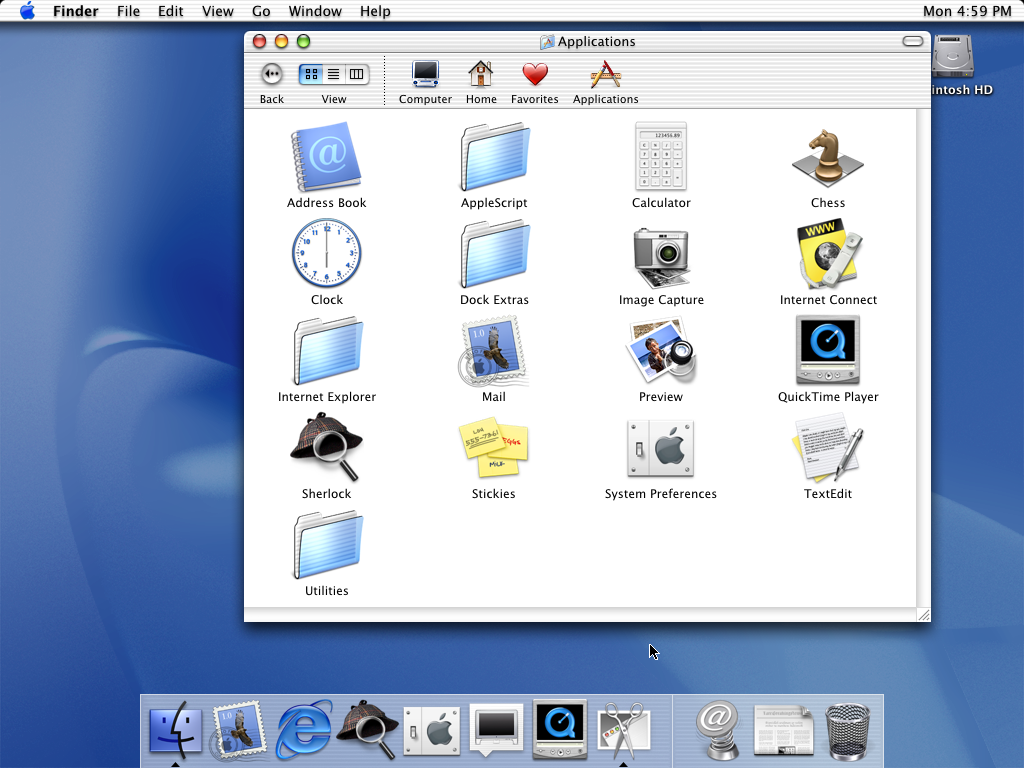
> this particular thing is not new. Article author here. I think the quoted claim is somewhat misleading. There are at least two different ways to interpret a UI feature as "not new": 1) The feature has been in the operating system all along. 2) Something analogous existed 40 years ago and then disappeared long ago. You're referring to 2, not 1. The only reason I chose Calculator app for my screenshot is that its window is very small, which allowed me to make a small screenshot, because people may be reading the blog post on small phone screens. In other ways, admittedly, Calculator is not a great example, because its window is not actually resizable, and thus it's not the type of window that you would normally place in the corners of your screen, like a resizable document window. Rounded corners on a "widget" type of app are not as objectionable. As other commenters have noted, the calculator in "classic" Mac was a special Desk Accessory. In contrast, on Tahoe, the varying corner radii affect ordinary document-based apps. Consider Mac OS X 10.0 Cheetah. The top of the windows had rounded corners, but the bottom did not! https://512pixels.net/wp-content/uploads/2018/08/10-0-Cheeta... TextEdit, for example, did not start to have rounded bottom corners until Mac OS X 10.7 Lion, which was itself much maligned for bringing the iPhone UI to Mac. | ||||||||