| ▲ | thewebguyd 2 hours ago |
| > Any power users who prefer their own key management should follow the steps to enable Bitlocker without uploading keys to a connected Microsoft account. Except the steps to to that are disable bitlocker, create a local user account (assuming you initially signed in with a Microsoft account because Ms now forces it on you for home editions of windows), delete your existing keys from OneDrive, then re-encrypt using your local account and make sure not to sign into your Microsoft account or link it to Windows again. A much more sensible default would be to give the user a choice right from the beginning much like how Apple does it. When you go through set up assistant on mac, it doesn't assume you are an idiot and literally asks you up front "Do you want to store your recovery key in iCloud or not?" |
|
| ▲ | dgrunwald 2 hours ago | parent | next [-] |
| > make sure not to sign into your Microsoft account or link it to Windows again That's not so easy. Microsoft tries really hard to get you to use a Microsoft account. For example, logging into MS Teams will automatically link your local account with the Microsoft account, thus starting the automatic upload of all kinds of stuff unrelated to MS Teams. In the past I also had Edge importing Firefox data (including stored passwords) without me agreeing to do so, and then uploading those into the Cloud. Nowadays you just need to assume that all data on Windows computers is available to Microsoft; even if you temporarily find a way to keep your data out of their hands, an update will certainly change that. |
| |
| ▲ | reincarnate0x14 a minute ago | parent | next [-] | | That's a good base assumption, but IOT LTSC licenses are still out there if you look and trivial to use with a self-hosted KMS if you feel like you and MS are square on that. Almost all of that stuff is not in LTSC and 10 LTSC is still good through 2029. | |
| ▲ | xp84 an hour ago | parent | prev | next [-] | | Do we have confirmation that it’s a must to upload the key if you use an MS account with Windows? Is it prove that its not possible to configure Windows to have an MS account linked, maybe even to use OneDrive, while not uploading the BitLocker key? Btw - my definition of “possible” would include anything possible in the UI - but if you have to edit the registry or do shenanigans in the filesystem to disable the upload from happening, I would admit that it’s basically mandatory. | |
| ▲ | theLiminator an hour ago | parent | prev | next [-] | | Yes, they push the MS account stuff very hard. I've found Windows so actively hostile to the user that I basically only use Linux now. I used to be a windows user, it has really devolved to the point where it's easier for me to use Linux (though I'm technical). I really feel for the people who aren't technical and are forced to endure the crap that windows pushes on users now. | | |
| ▲ | J_Shelby_J 20 minutes ago | parent [-] | | > actively hostile That’s the real problem MS has. It’s becoming a meme how bad the relationship between the user and windows is. It’s going to cause generational damage to their company just so they can put ads in the start menu. |
| |
| ▲ | replyifuagree 15 minutes ago | parent | prev | next [-] | | > logging into MS Teams I mean, this is one application nobody should ever log into! | |
| ▲ | LtdJorge 2 hours ago | parent | prev [-] | | Teams inside a VM it is, then. | | |
| ▲ | ssl-3 an hour ago | parent | next [-] | | Or: Put all of Windows inside of a VM, within a host that uses disk encryption -- and let it run amok inside of its sandbox. I did this myself for about 8 years, from 2016-2024. During that time my desktop system at home was running Linux with ZFS and libvirt, with Windows in a VM. That Windows VM was my usual day-to-day interface for the entire system. It was rocky at first, but things did get substantially better as time moved on. I'll do it again if I have a compelling reason to. | |
| ▲ | dvfjsdhgfv 2 hours ago | parent | prev [-] | | It's not just Teams. You need to be constantly vigilant not to make any change that would let them link your MS account to Windows. And they make it more and more difficult not only to install but also use Windows without a Microsoft account. I think they'll also enforce it on everybody eventually. | | |
| ▲ | prmoustache an hour ago | parent [-] | | You need to just stop using windows and that's it. The only windows I am using is the one my company makes me use but I don't do anything personal on it. I have my personal computer next to it in my office running on linux. |
|
|
|
|
| ▲ | shawnz an hour ago | parent | prev | next [-] |
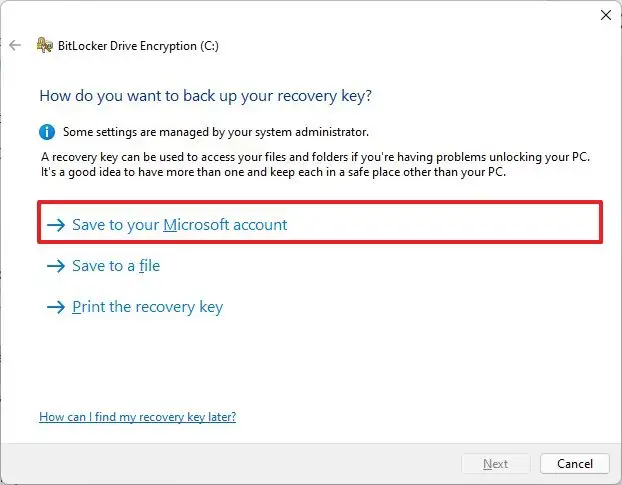
| Why would you need to create a local account? You can just not choose to store the keys in your Microsoft account during BitLocker setup: https://www.diskpart.com/screenshot/en/others/windows-11/win... Admittedly, the risks of choosing this option are not clearly laid out, but the way you are framing it also isn't accurate |
| |
| ▲ | shakna an hour ago | parent [-] | | All "Global Reader" accounts have "microsoft.directory/bitlockerKeys/key/read" permission. Whether you opt in, or not, if you connect your account to Microsoft, then they do have the ability fetch the bitlocker key, if the account is not local only. [0] Global Reader is builtin to everything +365. [0] https://github.com/MicrosoftDocs/entra-docs/commit/2364d8da9... | | |
| ▲ | crazygringo 43 minutes ago | parent | next [-] | | They're Microsoft and it's Windows. They always have the ability to fetch the key. The question is do they ever fetch and transmit it if you opt out? The expected answer would be no. Has anyone shown otherwise? Because hypotheticals that they could are not useful. | | |
| ▲ | lazide 17 minutes ago | parent [-] | | Considering all the shenanigans Microsoft has been up to with windows 11 and various privacy, advertising, etc. stuff? Hell, all the times they keep enabling one drive despite it being really clear I don’t want it, and then uploading stuff to the cloud that I don’t want? I have zero trust for Microsoft now, and not much better for them in the past either. |
| |
| ▲ | cyberax 42 minutes ago | parent | prev [-] | | This is for the _ActiveDirectory_. If your machine is joined into a domain, the keys will be stored in the AD. This does not apply to standalone devices. MS doesn't have a magic way to reach into your laptop and pluck the keys. | | |
| ▲ | shawnz 19 minutes ago | parent | next [-] | | Furthermore it seems like it's specific to Azure AD, and I'm guessing it probably only has effect if you enable to option to back up the keys to AD in the first place, which is not mandatory I'd be curious to see a conclusive piece of documentation about this, though | |
| ▲ | riskable 25 minutes ago | parent | prev [-] | | > MS doesn't have a magic way to reach into your laptop and pluck the keys. Of course they do! They can just create a Windows Update that does it. They have full administrative access to every single PC running Windows in this way. |
|
|
|
|
| ▲ | fpoling 5 minutes ago | parent | prev | next [-] |
| With Bitlocker it is still possible to have single password-based key. But enabling that requires to enter a few commands on the command line. |
|
| ▲ | modeless 2 hours ago | parent | prev | next [-] |
| They don't do that for iMessage though... https://james.darpinian.com/blog/apple-imessage-encryption |
| |
| ▲ | thewebguyd an hour ago | parent [-] | | Only because others you communicate with may not have ADP turned on, which is a flaw with any service that you cannot control what the other end does or does not do, not unique to Apple/iMessage outside of using something like Signal. | | |
| ▲ | modeless an hour ago | parent [-] | | Most other E2EE messaging services do not break their own E2EE by intentionally uploading messages or encryption keys to servers owned by the same company in a form that they can read. For example, Google's Messages app does not do this for E2EE conversations. This isn't something that only Signal cares about. |
|
|
|
| ▲ | gruez an hour ago | parent | prev [-] |
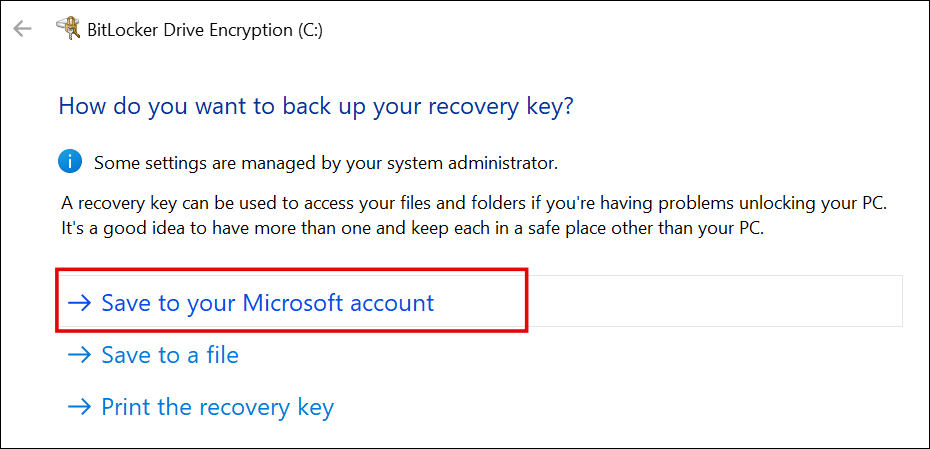
| >Except the steps to to that are disable bitlocker, create a local user account (assuming you initially signed in with a Microsoft account because Ms now forces it on you for home editions of windows), delete your existing keys from OneDrive, then re-encrypt using your local account and make sure not to sign into your Microsoft account or link it to Windows again. 1. Is there any indication it forcibly uploads your recovery keys to microsoft if you're signed into a microsoft account? Looking at random screenshots, it looks like it presents you an option https://helpdeskgeek.com/wp-content/pictures/2022/12/how-to-... 2. I'm pretty sure you don't have to decrypt and rencrypt the entire drive. The actual key used for encrypting data is never revealed, even if you print or save a recovery key. Instead, it generates a "protectors", which encrypts the actual key using the recovery key, then stores the encrypted version on the drive. If you remove a recovery method (ie. protector), the associated recovery key becomes immediately useless. Therefore if your recovery keys were backed up to microsoft and you want to opt out, all you have to do is remove the protector. |